


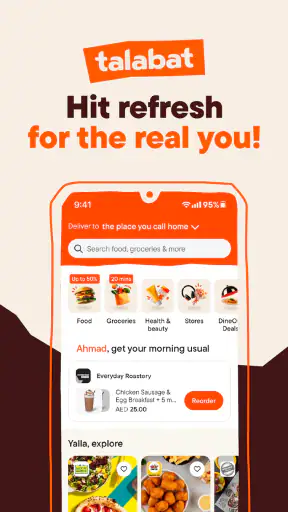
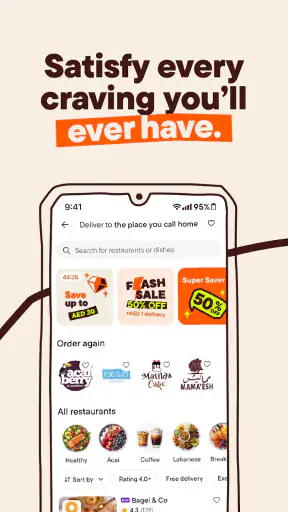
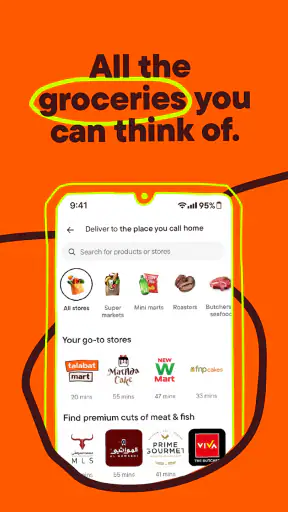
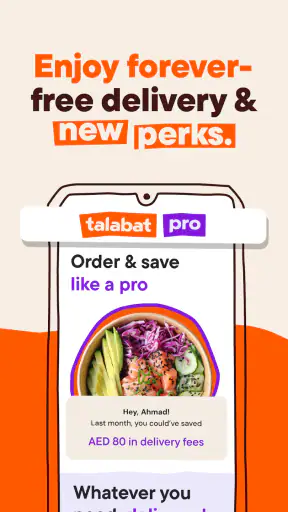

I use talabat as a practical way to bring meals, groceries, and other everyday essentials to my door, especially when I want one familiar place to start rather than switching between several services. It is a free Food & Drink app from Talabat, available for Everyone, and its broad reach is reflected in more than 50 million installs. My experience is that it works best when I treat it as a planning tool, not simply as a last-second button for ordering dinner.
The first thing to understand is its role. This is not only a restaurant menu app. The “Food, grocery & more” approach makes it useful for different kinds of errands, although the exact choices you see depend on your location. I can use it when I am too busy to cook, when I need household basics, or when I want to compare several nearby options without making phone calls. That range is the main reason I would recommend trying it before keeping separate delivery apps for every need.
How I use talabat from search to delivery
My baseline ordering routine
I begin by entering the delivery location carefully rather than assuming the app has selected the right place. This matters in apartment buildings, offices, compounds, and areas with several entrances. A correct address is more useful than rushing through the first screen, because a small location mistake can turn a simple order into a conversation with the courier.
After that, I choose the type of order I need. For food, I usually browse by cuisine or look for a particular restaurant. For groceries and other essentials, I focus on the items themselves and compare the available shops. I find this separation helpful because it prevents me from treating every result as if it were a restaurant order. The best workflow is to decide whether I am solving a meal problem or a shopping problem before I start scrolling.
When I open a restaurant, I read the menu as a complete order rather than adding items impulsively. I check portions, side dishes, drinks, and any available customization before moving on. This reduces the common mistake of placing an order and then realizing that the meal needs an extra item. The same habit works for grocery shopping: I review the basket as a small checklist, not as a collection of attractive suggestions.
The basket is where I slow down. I look at the selected items, quantities, delivery details, and the final amount shown before confirming. I also check notes and contact information when those fields are available to me. This is especially worthwhile for groceries, where a missing staple can defeat the purpose of the whole order. I would rather spend a minute reviewing than discover after delivery that I forgot the one thing I actually needed.
For a realistic weekday example, imagine finishing work late and needing dinner plus breakfast items for the next morning. I would first decide whether combining those needs in one order is practical or whether separate food and grocery orders make more sense. If I choose one category, I build the basket around the main need, review the total, and place it early enough to leave room for normal delivery variation. That small amount of planning feels more reliable than opening the app only when everyone is already hungry.
What makes the everyday experience useful
The strongest part of talabat is convenience through choice. I can look at several restaurants instead of settling for the first one that answers the phone, and I can use the same general habit for groceries. This is particularly useful when I am new to an area or when my usual restaurant is closed. The app gives me a single starting point for exploring what is available around me.
Its popularity also makes the service feel established rather than experimental. The app has an average rating of 4.3 from around 544 thousand ratings, with roughly 6.6 thousand written reviews. Those figures do not guarantee that every order will be perfect, but they do suggest that many people use it regularly enough to form a substantial opinion.
I would not confuse a large selection with a simple decision. More restaurants and shops can mean more scrolling, more comparisons, and more chances to choose based on an attractive photo instead of what I actually need. I get better results when I set a limit before browsing: a cuisine, a meal type, a grocery list, or a preferred delivery window. Without that limit, convenience can turn into decision fatigue.
Settings and details worth checking
I pay attention to the account and address details before placing an order, particularly if I use the app from more than one location. Home, work, and a temporary address can require different delivery instructions. I avoid leaving an old location selected simply because it was used for the previous order. This is one of the most important practical checks because the app can only deliver correctly when the selected destination is correct.
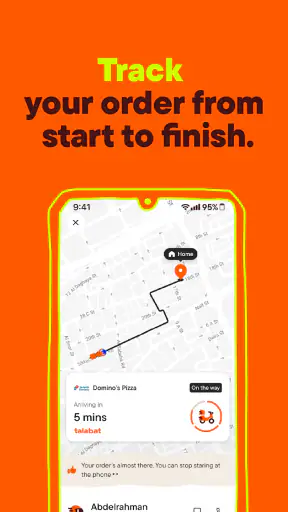
Notifications are worth reviewing as well. Delivery updates can be useful when I am waiting for food, but too many alerts can become distracting. I prefer keeping the messages that help me follow an active order and reducing anything that does not improve the experience. The right balance depends on how often I order, but the principle is simple: notifications should support an order in progress, not constantly pull me back into the app.
I also check the application version when something behaves unexpectedly. The current version is 13.86.0 and it requires Android 8.0 or later. That makes compatibility an easy early check for Android users. If the app is being used on an older phone or an old operating system, updating the device or app may be more useful than repeatedly retrying the same action.
Because talabat covers food and shopping, I treat the final review screen as a setting in practice, even though it is part of the ordering flow. I verify the address, basket, notes, and amount each time. I do not rely on memory from a previous order, especially when moving between restaurant meals and grocery baskets. This routine is more valuable than searching for a shortcut that may not apply to every category.
Faster patterns that save me time
My fastest reliable pattern is to repeat a decision process, not to rush through screens. I keep a short mental list of dependable meal types, such as a quick lunch, a shared dinner, or breakfast supplies. Then I search with a clear purpose. This avoids opening restaurants randomly and makes it easier to compare similar options.
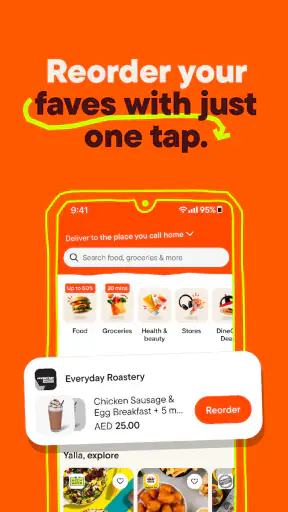
For repeat orders, I use previous choices as a starting point when the app presents them. I still review the basket because availability, quantities, or personal preferences can change. Repeating an order without checking is convenient only when the contents are genuinely unchanged. A quick review protects against ordering yesterday’s solution for today’s different situation.
Another useful habit is separating “urgent” from “planned.” If I need one missing ingredient immediately, I look for the most suitable nearby grocery option instead of building a large shopping basket. If I am stocking up, I make the list first and then use the app to fill it. These two patterns feel similar on the screen, but they require different behavior. Urgent orders reward speed; planned orders reward checking.
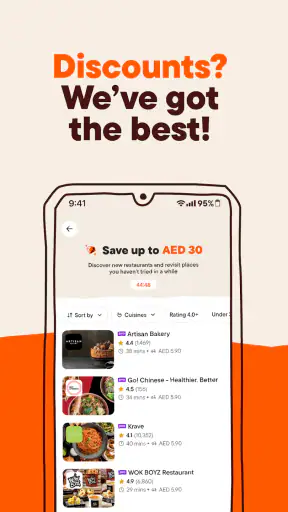
I also compare the complete basket rather than judging a restaurant or shop from its headline item. A tempting main dish may not be the best choice once sides, drinks, or missing groceries are considered. Looking at the full order helps me make a fairer comparison between alternatives. It is a small but useful shift from browsing advertisements to solving the actual need.
When ordering for several people, I prefer collecting everyone’s choices before opening the basket for final review. This reduces the chance of duplicate sides or forgotten requests. I also confirm the delivery instructions once, clearly, instead of adding several conflicting notes. The app is most helpful when the order is organized before confirmation, not when the courier has to interpret a rushed message afterward.
Where the convenience has limits
talabat is not automatically the best choice for every order. If I already know a nearby restaurant delivers directly with a simpler arrangement, calling or using that restaurant’s own channel may be faster. For a very small grocery purchase, walking to a nearby shop can also be more predictable than waiting for delivery. The app earns its place when its selection and convenience outweigh those alternatives.
The broad marketplace can also create uneven experiences. Restaurants and shops control much of the product quality, preparation, packaging, and availability, so the app itself cannot make every order identical. I judge the platform by how easily I can find, review, and manage an order, but I judge the meal or groceries by the individual seller. Keeping those two parts separate helps me set realistic expectations.
Delivery timing is another reason not to plan too tightly around the app. I use it for normal meals and errands, but I avoid depending on any delivery service for an event where a delay would cause a serious problem. If guests are arriving at a fixed time, I order with a buffer or prepare a backup. Convenience is valuable, but it should not replace basic planning.
People who dislike browsing may find the range tiring rather than helpful. Someone who wants a highly specialized grocery inventory may also prefer a dedicated supermarket service. Likewise, users with an older Android device below the required operating system will need a compatible setup before the app becomes useful. For those cases, a direct restaurant order, a local shop, or another focused service may be the better fit.
Who gets the most from it
I think talabat suits people who regularly switch between restaurant meals and everyday shopping. It is especially practical for busy workers, households coordinating several meals, people settling into a new neighborhood, and anyone who wants one app for more than takeaway. The free entry point makes it easy to test without committing to a subscription or purchase.
It is also useful for users who value comparison. I can consider different restaurants and shops in one place instead of relying only on whichever business I remember. That does not mean I should always choose the cheapest or fastest-looking option. It means I have more context before deciding, which is helpful when quality, convenience, and urgency compete.
I would recommend a more cautious approach for users with strict dietary, timing, or product requirements. They should read the available item information carefully, review customization, and confirm the basket before paying. If a requirement is critical, direct communication with the business may provide more certainty than relying only on an app menu. The platform is convenient, but careful users still need to verify their own order.
My mastery verdict after building a routine
talabat has become more useful to me when I use it deliberately: keep the delivery location accurate, choose the right service category, search with a purpose, and review the complete basket. The app is not just a digital menu. It is a flexible way to handle meals and errands, provided I do not mistake a large marketplace for a guarantee of identical service everywhere.
Talabat has developed the app since its release on January 19, 2012, and the result is a mature option for everyday delivery. Its Everyone content rating makes it broadly accessible, while the combination of restaurant and grocery use gives it more practical range than a food-only tool. I especially like that the same basic routine can handle a spontaneous meal and a planned household order without learning a completely different service.
The trade-off is that I need to bring some judgment of my own. I check the address, read the basket, allow reasonable time, and choose direct alternatives when they make more sense. Users who adopt those habits will likely get more value than users who simply tap the first appealing result. My recommendation is to use talabat as a repeatable delivery workspace, not as a substitute for checking what you are actually ordering.
For me, that balance makes it worth keeping. It is free to install, widely used, and flexible enough for food, groceries, and other everyday needs. I would choose it when comparison and convenience matter, while keeping a local shop or direct restaurant option in mind for urgent, highly specific, or time-sensitive requests.


